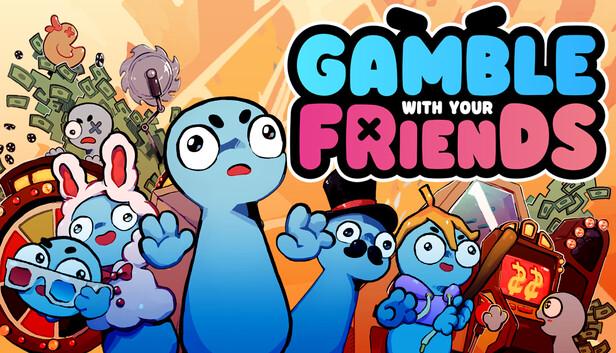
Gamble With Your Friends Mods
Best chaos packs, safe install workflow, load order tiers, and session balancing settings for 2026.
Why Players Use Mods
The base game is built around volatility: shared money, escalating quotas, mini-games with uneven payout curves, and social pressure when one teammate keeps going all-in. Mods work best when they solve a specific problem rather than just adding random chaos.
Extend run length
So the session has a real arc instead of ending in two days.
Increase variety
More games, events, and item outcomes to keep runs fresh.
Improve fairness
Better scaling for new players so they don't get left behind.
Add intentional chaos
Controlled madness instead of relying on pure bad luck.
The biggest mistake
Adding only high-chaos content without economy tuning. That creates funny clips but weak progression — runs become mathematically unwinnable before they get interesting.
Where to Find Mods
Thunderstore is the best current starting point for public Gamble With Your Friends mods. The mod scene is still young, so check release dates, game version notes, dependencies, and multiplayer compatibility before adding anything to a group run.
If you searched for Gamble With Friends mods, you are looking for the same modding topic. Most community pages use the full official title, Gamble With Your Friends.
Thunderstore
ActiveThunderstore has an active Gamble With Your Friends mod database with real packages, a Thunderstore App install flow, and a linked modding Discord.
Nexus Mods hub
WatchlistNexus has a Gamble with your Friends game hub, but public mod listings are still early. Treat it as a page to monitor, not a confirmed library of tested mods.
Steam Community
DiscussionUse Steam discussions, guides, and announcements to verify patch compatibility and official updates before changing a shared lobby setup.
Official Discord
CommunityGood for finding players, mod notes, and compatibility chatter. Confirm critical patch or platform information against Steam news.
Known Thunderstore Mods
These public Thunderstore listings are useful examples of what is already available. Check each package page before installing, because version compatibility and dependencies can change quickly.
BepInExPack
FrameworkBase mod framework for Mono Unity games. Install this before most code mods that depend on BepInEx.
CleanerCasinoUX
Quality of LifeReduces screen clutter from friend money popups and removes roaming NPC interference around reaction-based cash-out clicks.
NoPitStops
PacingCuts downtime between rounds with faster transitions, shorter zone countdowns, skipped loss scenes, and a Give Up Day vote option.
SandboxMode
PracticeAdds a per-save sandbox setup with huge money, unlocked floors, a long day timer, and normal saves left untouched.
Best Mods by Playstyle
Pick a target vibe first, then choose your mod list. Not every group wants the same session.
Balanced Co-op Pack
Mixed GroupsBest for mixed skill groups where half the party is new or casual.
- •Economy smoothing (higher start cash, capped loss streak penalties)
- •Quota scaling adjustments
- •Lower swing bonus items
- •Extra utility items over damage/control items
High-Stakes Chaos Pack
Stream NightsBest for stream nights and groups that want dramatic outcomes and fast clips.
- •Event frequency increase
- •Risk/reward multipliers
- •More disruptive tools and double-or-nothing effects
- •Reduced safety rails
Roleplay Casino Pack
Social SessionsBest for long social sessions where banter matters more than optimization.
- •Expanded cosmetic and random role effects
- •Low-lethality penalties
- •Midrange economy and moderate quota pressure
- •Optional house rules trackers
Install & Load-Order Workflow
Use a clean process before testing any mods. Even if your group "just wants quick fun," five extra minutes saves entire sessions.
Back up your save folder
Before installing anything, copy your current config and save files to a safe location.
Use Thunderstore App or manual install
Thunderstore can manage profiles and package installs. If installing manually, read the package instructions carefully.
Add BepInExPack and dependencies first
BepInExPack is the current public framework package for Mono Unity modding. Install required libraries before gameplay mods.
Install economy and progression mods
These set the math foundation. Get them stable before adding content.
Add content/gameplay mutators
Mini-game expansions and event packs go here, after base balance is confirmed.
Add cosmetics and flavor mods last
Audio replacements, visual mods, and cosmetic packs are safe to place at the end.
Solo test for 5–10 minutes
Launch alone and play through at least one full day to catch obvious issues.
Private lobby test with one friend
Test multiplayer sync before the full group session.
Pro tip
Keep a "tournament preset" and a "party preset" in separate profile folders so you can switch quickly without rebuilding everything.
Recommended Load Order
| Tier | What Goes Here | Why |
|---|---|---|
| T1 | Framework + dependency libraries | Required for everything else to function |
| T2 | UI / quality-of-life tools | Helps detect issues before gameplay stack loads |
| T3 | Economy / progression tuning | Sets the math foundation for all other mods |
| T4 | Mini-game / content expansions | Built on top of a stable economy layer |
| T5 | Chaos / event mutators | Highest risk for conflicts — load last in gameplay stack |
| T6 | Cosmetic / audio replacements | Safe to place last, no logic dependencies |
Session Balancing Settings
Most failed mod nights happen because people over-tune one variable: bet cap, penalty intensity, or event frequency. Start conservative and ramp up.
| Setting | Safe Start | Competitive | Chaos |
|---|---|---|---|
| Starting Team Bankroll | 1.2× default | 1.0× default | 0.9× default |
| Max Single Bet Cap | 20–25% bank | 30–35% | 40–50% |
| Penalty Severity | Low–Mid | Mid | Mid–High |
| Event Frequency | Normal | +10% | +20–30% |
| Quota Growth Rate | Slight | Normal | Aggressive |
Two social rules that beat any balance patch
"Below quota = no ego bets." If the team is behind, no one makes a high-variance play without group agreement.
"One shot at recovery, then extract." If a recovery bet fails, stop gambling and take what you have.
Recommended Mod Stacks
Use these as templates. Your group size and skill level matter more than any preset.
4-Player "Reliable Progress"
- •Economy smoother
- •Quota scaler
- •2× mini-game expansion mods
- •1× lightweight random event pack
- •QoL HUD tracker
3-Player "Clutch Recovery"
- •Slightly higher starter bankroll
- •Reduced punishment on early bust rounds
- •1× high-volatility event mod
- •1× anti-stall modifier
5-Player "Streamer Chaos"
- •Max event variety
- •Rotating multipliers
- •High punishment + high reward
- •Social interference tools
- •Strict run timer
Troubleshooting
If your lobby desyncs, crashes, or feels impossible, diagnose in this order.
| Symptom | Likely Cause | Fast Fix |
|---|---|---|
| Lobby desync after day transition | Version mismatch in one mod | Compare exact mod versions across all players |
| Crash at launch | Missing dependency | Reinstall framework + required library |
| Black screen after loading | Bad load order | Move economy/core mods above event mutators |
| Runs feel unwinnable | Overstacked penalty multipliers | Reduce punishment layer, increase bet cap control |
| UI values incorrect | Outdated HUD/QoL plugin | Update or temporarily remove UI mod |
Stability routine for the host
- Lock a single tested preset for the entire night.
- Disable auto-update on experimental mods before the session.
- Restart host client after any mid-night mod change.
- Keep one plain-text "mod manifest" in Discord for teammates.
Warning
Never mix old save progression mods with brand-new economy overhauls in the same run unless the author explicitly confirms compatibility.
Team Roles That Reduce Chaos Losses
The smartest use of mods is educational: build a setup that rewards disciplined team play. These roles work with or without mods, but they're especially valuable in high-chaos sessions.
Bankroll Captain
Calls bet size limits
Prevents all-in tilt plays
Game Selector
Rotates mini-games by expected value
Avoids one-table tunnel vision
Event Reader
Tracks item/event triggers
Reduces surprise punishments
Closer
Makes end-of-day extraction call
Stops greed losses after quota hit
Coaching framework for your group
FAQ
What are the best Gamble With Your Friends mods for beginners?
Start with the basics: BepInExPack if the mod requires it, then one quality-of-life or practice mod such as CleanerCasinoUX, NoPitStops, or SandboxMode. Avoid stacking multiple gameplay-changing mods before testing a clean profile.
Can mods cause everyone in my lobby to go out of sync?
Yes, if versions differ. Every player should use the exact same mod list and version numbers. Even one mismatched dependency can cause desync after day transitions.
How many mods should I run at once?
For stability, start with 5–8 total mods including dependencies. Test, then scale up. Larger stacks can work, but only after you validate load order and compatibility.
Is it better to focus on chaos mods or economy mods first?
Economy first. If the bankroll and quota math are unstable, chaos mods amplify frustration. Build a stable core, then add high-variance content in small batches.
Where do I find Gamble With Your Friends mods?
Start with Thunderstore, which currently has public Gamble With Your Friends packages and a Thunderstore App install flow. Also watch Nexus Mods, Steam Community discussions/guides, and the official Discord. Verify each mod's game version, install method, dependencies, and multiplayer compatibility before using it.
What is BepInExPack for Gamble With Your Friends?
BepInExPack is the public Thunderstore framework package for Mono Unity modding. Many code mods rely on it, so install framework and dependency packages before adding quality-of-life, pacing, or gameplay mods.
Are there Nexus Mods for Gamble With Your Friends?
Nexus Mods has a Gamble with your Friends game hub, but the public listing is still sparse. Use it as a watchlist source rather than assuming there is already a large library of tested mods.
Where is the Gamble With Your Friends Discord?
Use the official Discord link from the Steam store page when available. Community Discords are useful for mod notes and finding players, but confirm important patch, platform, or release information through Steam news.
More Guides
Mods are optional — master the base game first with these guides.